ADVATEK PixLite is the industry standard for controlling LED pixels via ArtNet / DMX. The controllers offer, among other things: 4 x 6 DMX universes = 4 x 1,020 RGB pixelsExpanded Mode for 8 x 3 DMX universes = 8 x 510 RGB pixelsSupports over 90 different pixel typesGamma correction + dithering for smoother animations15-meter data cable between the controller and the first pixel is possibleRecorder & Player for Animations via Showtime AppUp to 25 triggers via ArtNet or UDPThe manufacturer ADVATEK specializes in the development of high-performance pixel LED controllers, and as a result, ADVATEK’s controllers offer a range of interesting features and benefits.Addressable pixelsThe ADVATEK controllers offer 4 outputs, each supporting up to 6 DMX universes. This amounts to a total of 24 DMX universes, which corresponds to up to 4,080 RGB or 3,072 RGBW pixels. With the special Expanded Mode, the number of outputs can be doubled for many pixel types. For pixel types without a clock signal, the unused clock output (CLK) on the controller is used for additional pixels. The number of available outputs doubles from 4 to 8, while the number of DMX universes per output is halved. Instead of 4 x 1,020 RGB pixels, 8 x 510 RGB pixels can then be controlled. The total number of pixels therefore remains the same, but since the refresh rate (fps) decreases progressively and animations become jerky starting at 600 pixels per output, Expanded Mode is particularly advantageous for large pixel installations.The controllers in the latest MK3 series support a total of over 90 different pixel protocols. The ADAVTEK website features a list of currently supported protocols, which is constantly growing.Solution for long data cables in large installationsOne common issue with pixel LEDs is the length of the data cable between the controller and the first pixel. Even with a cable length of just 2 meters, problems such as flashing, flickering, and similar issues can occur, and the only solution is a RangeExtender.This is not the case with ADVATEK. The data signal is specially processed, which means that even cable lengths of 15 meters—and in some cases even longer—between the controller and the first pixel are no longer a problem.Standalone solution as a recorder and player via the Showtime appADVATEK PixLite controllers do not require an external player, as one is already built in. Animations can be flexibly recorded and retrieved from an SD card. Up to 25 triggers via ArtNet or UDP can be set to start or stop animations. All of this can be conveniently controlled via the special SHOWTime app. Direct control of the pixels is also possible using color pickers and RGB faders.
Technical specifications:
Item No.
LK155-E4S3
Outputs
4 x 6 DMX universes (Multi SPI)
Addressable pixels
4 x 1,020 RGB pixels (4 x 768 RGBW pixels)
Expanded Mode8 x 510 RGB pixels (8 x 384 RGBW pixels)
Programmable ICs
WS2801, 2808, 2811, 2812, 2813, 2814, 2815, 2816, 2818, 2851 SK6808, 6812, 6813, 6818, 6822, 6851, 9822TM1803, 1804, 1809, 1814, 1824, 1829, 1903, 1914, 1934& nbsp;UCS1903, 1904, 1909, 2603, 2903, 2904, 2912, 5603, 7604, 7804, 8603, 8903, 8904, 8912LPD6803, 8803, 8806GS8206, 8208, 83ß3, 8304SM16703, 16704, 16712, 16714, 16716, 16803, 16804, 16824APA102, 104, 105, 109P9412, 943, 9813, 9883MY9221, 9231, 9291DMX512. DMX512-D, ENTTEC SPXL
Voltage input
5 - 24VDC
Power consumption
2,5W
Ethernet Port
1x10/100 Mbps
At the Port
1xRS485 In/Out
Dimensions
L 115 × W 86 × H 33 (mm)
Weight
100g
Max. ambient temperature
-20°C to +70°C
ADVATEK PixLite is the industry standard for controlling LED pixels via ArtNet / DMX. The controllers offer, among other things: 16 x 6 DMX universes = 16 x 1,020 RGB pixelsExpanded Mode for 32 x 3 DMX universes = 32 x 510 RGB pixelsSupports over 90 different pixel typesGamma correction + dithering for smoother animations15-meter data cable between the controller and the first pixel is possibleRecorder & Player for Animations via Showtime AppUp to 25 triggers via ArtNet or UDPThe manufacturer ADVATEK specializes in the development of high-performance pixel LED controllers, and as a result, ADVATEK’s controllers offer a range of interesting features and benefits.Addressable pixelsThe ADVATEK controllers offer 16 outputs, each supporting up to 6 DMX universes. This amounts to a total of 96 DMX universes, which corresponds to up to 16,320 RGB or 12,288 RGBW pixels. With the special Expanded Mode, the number of outputs can be doubled for many pixel types. For pixel types without a clock signal, the unused clock output (CLK) on the controller is used for additional pixels. The number of available outputs doubles from 16 to 32, while the number of DMX universes per output is halved. Instead of 16 x 1,020 RGB pixels, 32 x 510 RGB pixels can then be controlled. The total number of pixels therefore remains the same, but since the refresh rate (fps) decreases progressively and animations become jerky starting at 600 pixels per output, Expanded Mode is particularly advantageous for large pixel installations.The controllers in the latest MK3 series support a total of over 90 different pixel protocols. The ADAVTEK website features a list of currently supported protocols, which is constantly growing.Solution for long data cables in large installationsOne common issue with pixel LEDs is the length of the data cable between the controller and the first pixel. Even with a cable length of just 2 meters, problems such as flashing, flickering, and similar issues can occur, and the only solution is a RangeExtender.This is not the case with ADVATEK. The data signal is specially processed, which means that even cable lengths of 15 meters—and in some cases even longer—between the controller and the first pixel are no longer a problem.Standalone solution as a recorder and player via the Showtime appADVATEK PixLite controllers do not require an external player, as one is already built in. Animations can be flexibly recorded and retrieved from an SD card. Up to 25 triggers via ArtNet or UDP can be set to start or stop animations. All of this can be conveniently controlled via the special SHOWTime app. Direct control of the pixels is also possible using color pickers and RGB faders.
Technical specifications:
Item No.
LK155-E16S3
Outputs
16 x 6 DMX universes (Multi SPI)
Addressable pixels
16 x 1,020 RGB pixels (16 x 768 RGBW pixels)
Expanded Mode32 x 510 RGB pixels (32 x 384 RGBW pixels)
Programmable ICs
WS2801, 2808, 2811, 2812, 2813, 2814, 2815, 2816, 2818, 2851 SK6808, 6812, 6813, 6818, 6822, 6851, 9822TM1803, 1804, 1809, 1814, 1824, 1829, 1903, 1914, 1934& nbsp;UCS1903, 1904, 1909, 2603, 2903, 2904, 2912, 5603, 7604, 7804, 8603, 8903, 8904, 8912LPD6803, 8803, 8806GS8206, 8208, 83ß3, 8304SM16703, 16704, 16712, 16714, 16716, 16803, 16804, 16824APA102, 104, 105, 109P9412, 943, 9813, 9883MY9221, 9231, 9291DMX512. DMX512-D, ENTTEC SPXL
Voltage input
5 - 24VDC
Power consumption
2,5W
Ethernet Port
1x10/100 Mbps
At the Port
1xRS485 In/Out
Dimensions
W 150 × D 115 × H 36 (mm)
Weight
200g
Max. ambient temperature
-20°C to +70°C
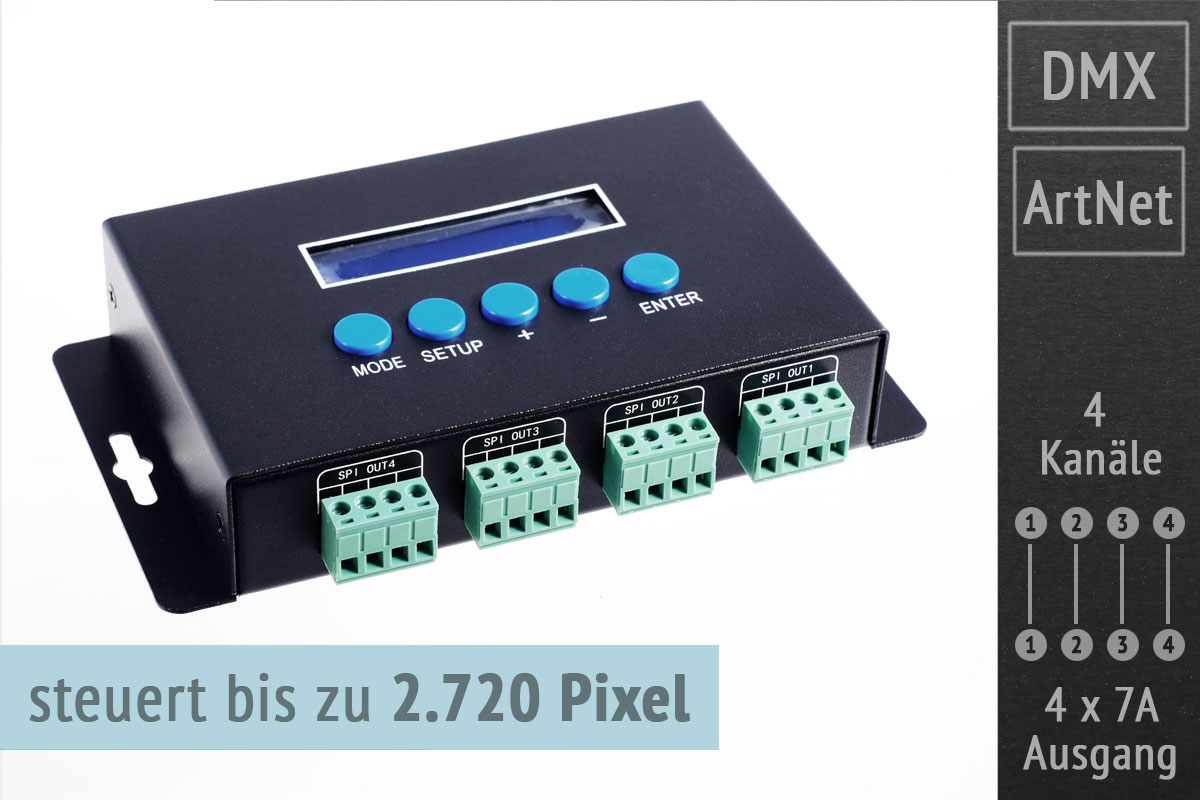
The drivers for digital LED strips are specially designed to control as many RGB pixels as possible individually.With the LK99, up to 2,720 pixels are possible, divided into 4 channels with 680 RGB pixels each. This corresponds to a total of 16 DMX universes, which are transmitted via LAN/ArtNet. The 4 pixel outputs can be loaded with max. 7 amps per channel. For larger installations, the pixels can and should be powered separately. The controller then supplies only the data signal (DATA). Pixels with and without CLOCK signal (CLK) can be controlled. Pixel types with CLK are e.g. WS2801 or APA102. The controller can be controlled via ArtNet and offers an additional DMX-OUT port with 512 channels on the output side. For configuration, the controller has an integrated web interface as an alternative to direct input on the display. The configuration options are very extensive: selection of pixel type and color sequence (RGB, RGB, GRB etc.) flexible addressing (DMX-Universe and start address individually for each of the 4 outputs) number of pixels to control per channel (0-680 pixels - e.g. to save DMX universes) number of zero pixels to skip first unused pixels in an installation Zig-zag or backward addressing of pixels for matrix applications Brightness limitation per channel In addition, the controller offers a test mode to test the installation with various effects (Chase, Dots, Rainbow, ...) and static programs (all pixels red, all pixels white, ...) even without an applied ArtNet signal. The speed of the effects can be varied.
Technical data:
Item no.
LK99
Output spots
4 x 7 Ampere (Multi SPI)
Controllable pixels
4 x 680 = 2,720
Controllable ICs
WS2801, 2803, 2811, 2812, 2813, 2815
SK6812 (RGBW)
TM1803, 1804, 1809, 1812, 1814 (RGBW)
UCS1903, 1909, 1912, 2903, 2909, 2912, 5603UCS6909, 6912 9812, 2904 (RGBW), 8904 (RGBW)LPD6803, 1101, 8803, 8806
TLS3001, 3002
APA102
P9813
Voltage input
5 - 24VDC
DMX outputs
1 x 512 Channels
Dimensions
L166×W110×H31(mm)
Weight
510g
The drivers for digital LED strips are specially designed to control as many RGB pixels as possible individually.
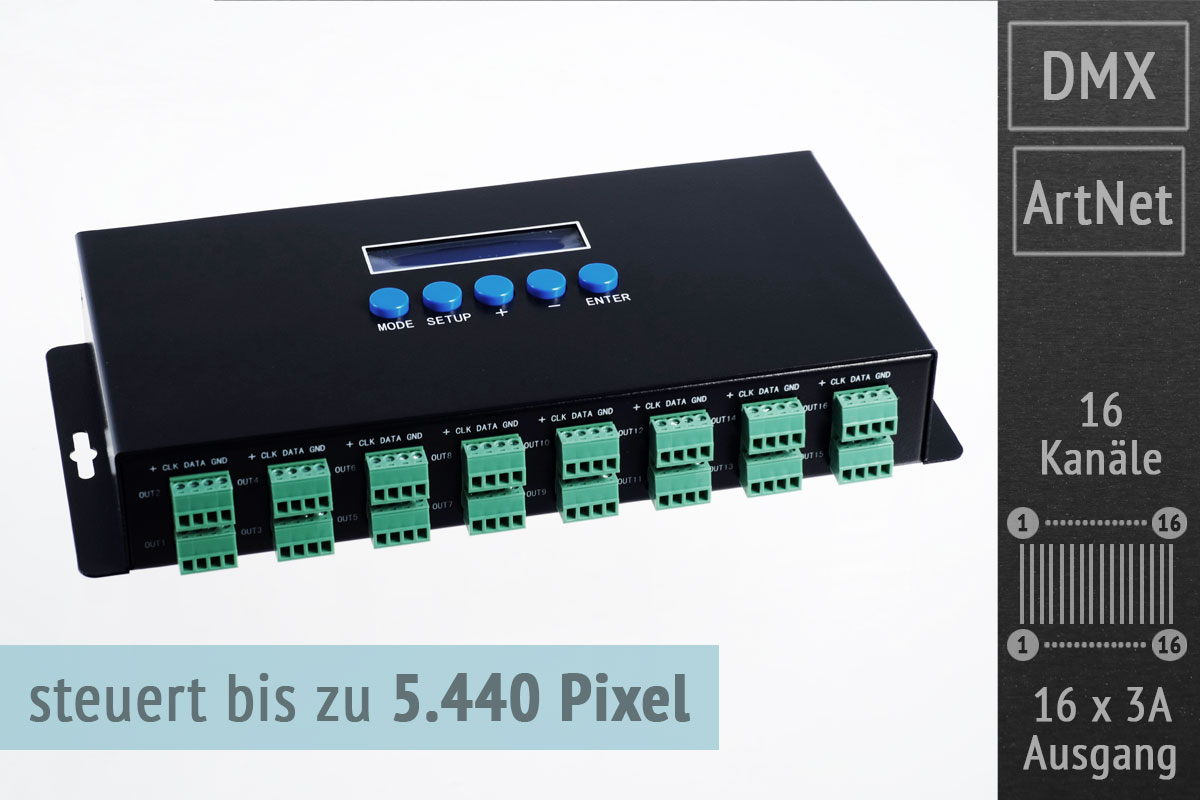
With the LK63, up to 5.440 pixels are possible, divided into 16 channels with 340 RGB pixels each. This corresponds to a total of 32 DMX universes, which are transmitted via LAN/ArtNet.
The 16 pixel outputs can be loaded with max. 3 amps per channel. For larger installations, the pixels can and should be powered separately. The controller then supplies only the data signal (DATA). Pixels with and without CLOCK signal (CLK) can be controlled. Pixel types with CLK are e.g. WS2801 or APA102. The controller can be controlled via ArtNet and offers 2 additional DMX-OUT ports with 512 channels each. For configuration, the controller has an integrated web interface as an alternative to direct input on the display. The configuration options are very extensive: selection of pixel type and color sequence (RGB, RGB, GRB etc.) flexible addressing (DMX-Universe and start address individually for each of the 4 outputs) number of pixels to control per channel (0-340 pixels - e.g. to save DMX universes) number of zero pixels to skip first unused pixels in an installation Zig-zag or backward addressing of pixels for matrix applications
Brightness limitation per channel
In addition, the controller offers a test mode to test the installation with various effects (Chase, Dots, Rainbow, ...) and static programs (all pixels red, all pixels white, ...) even without an applied ArtNet signal. The speed of the effects can be varied.
Technical data:
Item no.
LK63
Output spots
16 x 3 Ampere (Multi SPI)
Controllable pixels
16 x 340 = 5,440
Controllable ICs
WS2801, 2803, 2811, 2812, 2813, 2815
SK6812 (RGBW)
TM1803, 1804, 1809, 1812, 1814 (RGBW)
UCS1903, 1909, 1912, 2903, 2909, 2912, 5603UCS6909, 6912 9812, 2904 (RGBW), 8904 (RGBW)LPD6803, 1101, 8803, 8806
TLS3001, 3002
APA102
P9813
Voltage input
5 - 24VDC
DMX outputs
2 x 512 Channels
Dimensions
L258×W145×H41(mm)
Weight
1,100g
The SEDU-Play is a versatile, Raspberry Pi based, recorder and player for ArtNet cues and supports up to 64 DMX universes. The cues can be used in common LED effect software packages like
J!NX
LightJams
Madrix
grandMA2/3
Glediator
MagicQ
can be created. The SEDU-Play then records the ArtNet signal and stores it internally in different cues. These can then be grouped into cuelists so that different animations can be played out one after the other in a loop. The SEDU-Play supports ArtNet broadcast as well as a configurable unicast, which allows to send single universes to an ArtNet output code.
The playback of the cuelists can be done in different ways, so SEDU-Play supports the triggering of the animations via
ArtNet
MIDI
direct HTTP requests
schedule
mobile app (Android, iOS, browser)GPIO version: 10 GPIO pushbutton connectors
The brightness as well as the playback speed can still be adjusted system-wide via master settings after recording. Likewise, the playback frame rate for individual cues can be set individually. In addition, the cuelists can be exported and imported in a custom format, e.g. to manage different shows.
The SEDU-Play is connected to the ArtNet network via LAN. The static IP used on the LAN interface can be freely configured. Likewise, a WLAN network can be configured to which the SEDU-Play connects. This connection can be used to trigger the animations (e.g. via app) or to configure the SEDU-Play via browser.
Scope of delivery:
1x Raspberry Pi 3B ready installed in case (GPIO version incl. pushbutton connector)
1x microSD card (8GB) with pre-installed software
1x USB power supply for power supply
Technical data:
Driver
Type
Raspberry Pi 3B
Power supply
5V DC via microUSB port, max. current consumption approx. 300mA
CPU
ARM Cortex-A53, 4x1,2 GHz
RAM
1024MB DDR2
LAN
10/100 MBit/s, RJ45
WLAN
802.11 b/g/n
Housing
Material
aluminum
Features
direct heat dissipation from CPU to case via thermal pad
access to all ports (GPIO version incl. 10 GPIO connectors)
Dimensions (LxWxH)
89x25x64mm
Software
Playback-Triggering
- ArtNet- MIDI- direct HTTP requests- Schedule- Browser (Mac/PC/Smartphone/Tablet)
- 10 Pushbuttons (GPIO version)
Number of universes
choose option
4 channel DMX decoder with Artnet connection RJ45, adjustable start address and touch display
PWM output 8bit / 16bit adjustablePWM frequency 500Hz - 30kHz adjustable in 1kHz stepsGamma curve adjustable with values from 0.1 ~ 9.9IP class: IP 20Dimensions: 150x100x25,5mm (WxHxD)
The Art-Net™ DMX Bidirectional Converter is an Ethernet to DMX adapter with integrated optical DMX splitter andEthernet switch function. It has 4 RJ45 DMX outputs, all optically isolated and compatible with the following protocols:
DMX512,
DMX512-A
Art-Net™
The converter is designed with a 3.5" LCD screen and a touch control pen which allow you to configure it easily and visibly. It is also can be remotely configured and monitored through Art-Net™supported PC software including Sunlite, DMX workshop, Luminair, Madrix, etc
It takes up to 4 Art-Net™ universes simultaneously. The 4 RJ45 DMX ports can be assigned to either of the DMX In portor to one of the Art-Net™ universes. The two Ethernet links are 10/100BaseTx connections on RJ45 connector, locatedon the unit. The 2 Ethernet ports are through ports that allow daisy chaining of the Art-Net™ DMX Bidirectional Converterunits.Recorder function allows you to record programs such as color sequences that are programmed and played by a Art-Netsupported PC software or DMX console and save them into SD card. PlayBack function allows you to play the recordedprograms in the SD card with no controller required. TaskManage function allows you to create up to 10 scheduled taskswhich will play the selected recorded programs based on the frequency of day or week. Each scheduled task allows youto choose up to 10 recorded programs. The play mode can be SinglePlay or LoopPlay. The converter provides a reliable,highly customizable network infrastructure for complex control systems. The converter can be compatible with popularArt-Net™ supported software including Sunlite, DMX workshop, Luminair, Madrix, etc.
1. When the Work Mode is configured as ArtNet->DMX
2. When the Work Mode is configured as DMX->ArtNet
3. When the Work Mode is configured as 1IN->3OUT (DMX splitter)
Compact DMX recorder/playback device for 1 DMX universe Record and play back multiple shows, storage on included micro SD card 6 external GPIO triggers for start/stop, auto-start on power-up if desired Bi-directional communication for wall control (optional on request)The Showtec TR-512 Pocket is a compact DMX recorder/player that allows you to easily control your light shows. It can record and play back multiple shows. These are stored on the included micro SD card. The card offers enough storage space for shows with a total running time of up to 24 hours. Each show can be played in loop mode or as a single playback. You can set an automatic start when switching on or a delayed start. Using 6 GPIO pins, you can start or stop your shows with external triggers such as normal switches, relays, or motion detection sensors. Thanks to the latest software update, the new Idle Playback mode opens up new possibilities. It adds a Show mode and a Passthru mode to the standard Scene mode. Scene mode is perfect for a quiet period between active shows. If no file is selected, a standard blackout is used, where all channels are set to zero. In Show mode, a selected show is played in an endless loop. This is useful for creating continuous movements or background effects when no events are triggered. In Passthru mode, a DMX signal received from another source is passed through the DMX input and output of the TR-512 to a connected lighting system. Bidirectional communication with the special wall remote control for the TR-512 Install/Pocket can be set up via the RJ45 connection using a standard CAT5 cable. The TR-512 Pocket is the right product for your shows or scenes in theme parks, museums, shops, and other system integration projects.
Technical specificationsPower supply: 12 VDC (power supply included)Power consumption: 6 W Power input connector: Low Voltage DC plug DMX connector: XLR 3P In/Out (optically isolated)Data connection input: RJ45Dimensions (LxWxH): 115 x 85 x 45 mmMaximum ambient temperature: +40°CIP protection: IP20
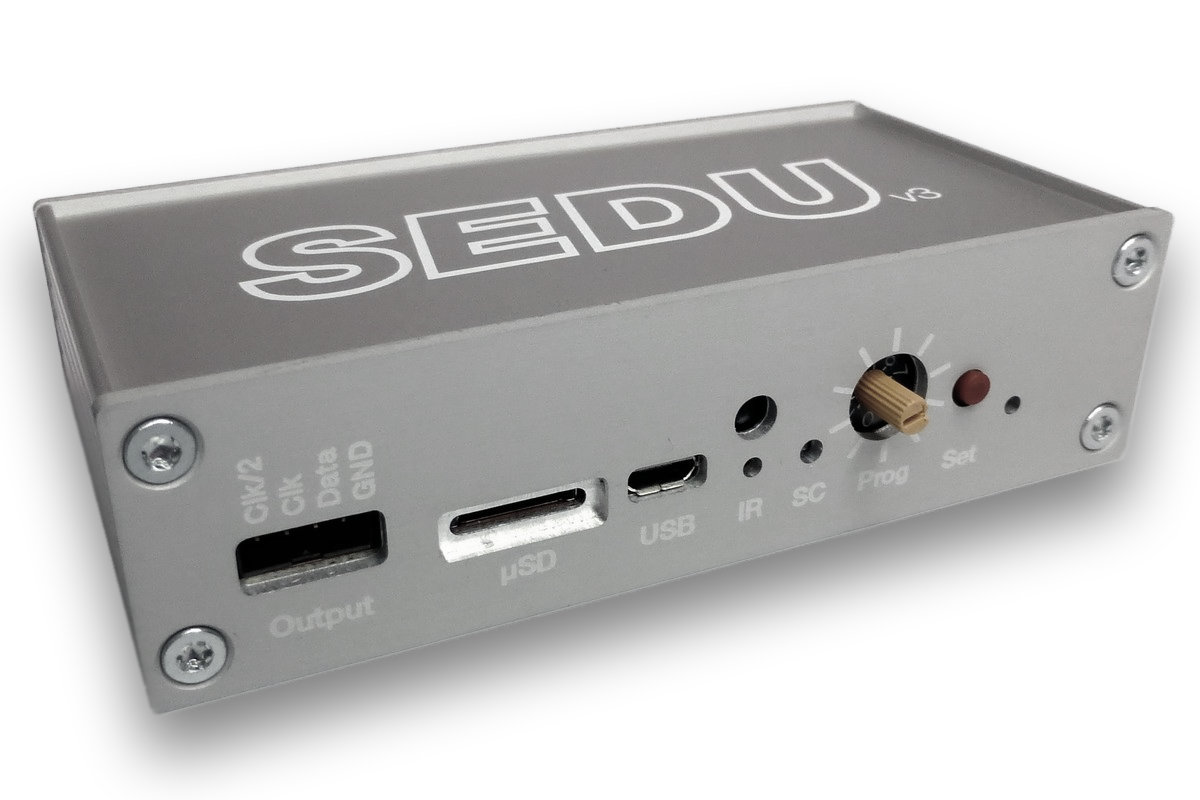
The SEDUv3 is a universal driver for digital LED pixels. It can be used to control an ambient light system as well as for an LED matrix.
In contrast to the SEDUv2 additional pixels like the WS2811/12 or MY9221 are supported. The firmware is still being extended to support even more pixel types. In addition, it is possible to choose between different input protocols within one firmware. Supported are:
miniDMX
tpm2
DMX (future)
tpm2.net / Artnet in connection with WLAN
Up to 3000 pixels WS2801 and 1024 pixels WS2811/12 are supported. With a µSD card created sequences can be played back offline. You can switch between the programs with a button (in the future also via IR remote control).
Scope of delivery:
1x SEDU board v3 according to version
1x connector data port
Technical data:
Parameter
Value
Power supply:
5V DC via µUSB port,max. current consumption approx. 300mA
Housing:
Aluminum housing, screwed
Dimensions:
105 x 50 x 28 mm
Data sheet / Downloads
SEDU-Board Downloads
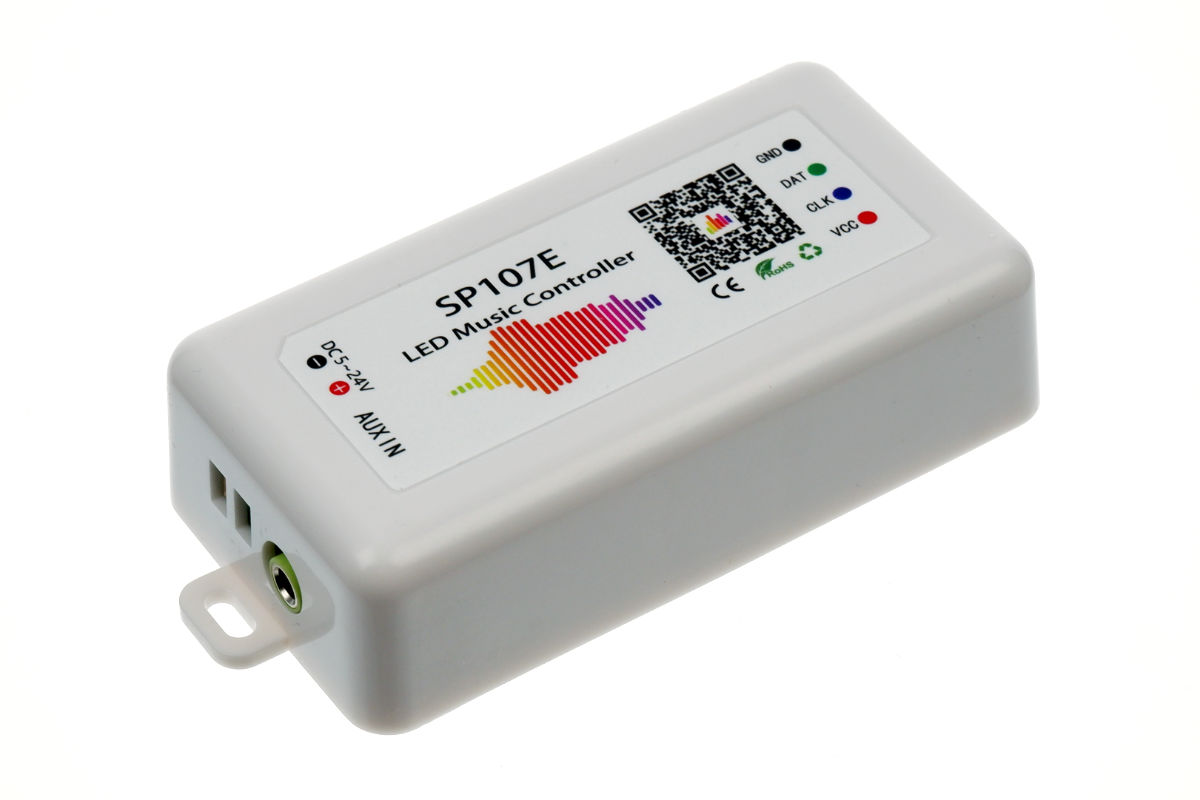
The SP107E can control up to 960 pixels and many different pixel types: WS2801, WS2811, WS2812, SK6812, APA102 and many more.
The suitable app "LED Chord" is available for free for IOS and Android and connects to the SP107E via Bluetooth. Music control can then be done directly via the built-in microphone or more precisely via the AUX-IN input (normal 3.5mm jack). There are 30 different music sync effects available. The pixel LEDs can be configured as LED strips and also as LED matrix, so you can realize e.g. a spectrum analyzer.
Maximum segments (lines) of the matrix: 64
Maximum pixels per segment (line): 150
In addition to music control, another 180 chaser effects are possible as well as precisely adjustable single colors. Speed and brightness can be changed at any time.
Setting up the driver is quite intuitive and done in a few minutes.
Screenshots of the App:
The scope of delivery includes:
1 x LED-driver SP107E
1 x 3-pin connection cable for LED strips
1 x voltage connection cable with hollow socket
1 x 3,5mm jack connection cable
1 x mini screwdriver
Supported LED types:
WS2801, WS2811, WS2812
SK6812, SK6812_RGBW, SK9822
APA102, APA105
TM1804, TM1814, TM1913, TM1914, TX1812, TX1813
LPD6803, LPD8806
P9813, P943S, P9411, P9412, P9413, P9414
GS8206, GS8208
SM16703, UCS1903, INK1003, DMX512
FAQ:
Can multiple drivers be used at the same time in the app?
Yes, the app can manage multiple drivers at the same time. You can switch between the drivers and change the settings for each. In addition, the individual drivers can be switched on and off directly. However, there is no direct synchronization and each driver must be set accordingly. However, if several drivers have the same settings (e.g. the same effect for music animation) and then receive the same audio signal via AUX (line-in), they will also react in the same way.
Does the app have to be active for the music animation to work?
No. The app is only needed for the setup. You can close the app afterwards and also turn off the smartphone, for example. The SP107s will still react to music and sounds with light animations. The same is true for the PRESET chaser effects.
Does the driver keep its settings when it no longer receives power?
Yes, the driver can simply be disconnected from the mains. When power is applied again, it will start with the previously set animation. All settings will be kept.
How can the white LEDs be used, e.g. with a SK6812_RGBW?
The app has a separate control for white LEDs (e.g. for SK6812_RGBW pixel strips). This can be used to set the proportion of white LEDs and then, in the case of effects, the white LEDs are taken into account accordingly, so that the colors are generally desaturated. In the effects section of the app, the SOLID setting can then also be used to activate a permanently white, high-quality light, e.g. for lighting tasks, if required.
Can the SP107 also control LED matrices?
Yes, a number of pixels and a number of segments can be set in the setup. For example, for an 8 x 8 matrix then 8 pixels and 8 segments. This is taken into account in the effects accordingly if matrix is selected there.
Technical data:
Input: 5-24V DC, GND, AUX-IN
Output: VCC, GND, Data, Clock
current consumption: approx. 120mA
up to 960 pixels depending on IC type
ambient temperature: -20°C - +60°C
dimensions: 85x45x22mm
Weight: 40g
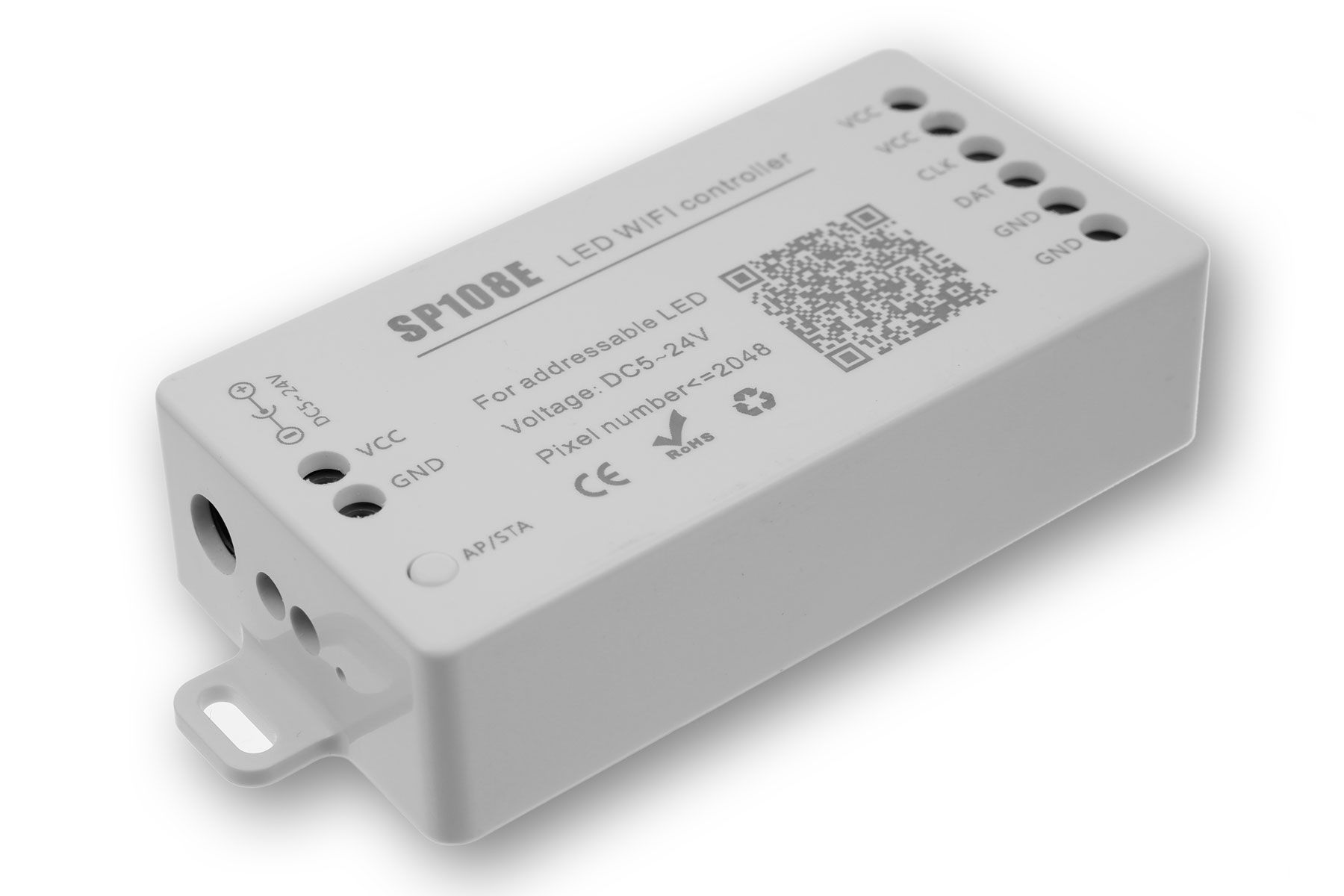
The SP108 can drive up to 2,048 pixels and many different pixel types: WS2801, WS2811, WS2812, SK6812, APA102 and many more.
The suitable app "LED Shop" is available for free for IOS and Android and offers 180 different chase effects as well as precisely adjustable single colors. Speed and brightness can be changed at any time. A handy feature is that you can choose your favorites from the 180 effects and then quickly select them.
Setting up the driver is quite intuitive and done in a few minutes. The driver works in the 2.4 GHz WLAN and can be accessed directly via the smartphone as well as integrated into the home WLAN.
Screenshots of the App:
The scope of delivery includes:
1 x LED driver SP108E
1 x 3-pin connection cable for LED strips
1 x mini screwdriver
Supported LED types:
WS2801, WS2811, WS2812, WS2815
SK6812, SK6812_RGBW, SK9822
APA102, APA105
TM1804, TM1814, TM1913, TM1914, TX1812, TX1813
LPD6803, LPD8806
P9813, P943S, P9411, P9412, P9413, P9414
GS8206, GS8208
SM16703, UCS1903, INK1003, DMX512
FAQ:
Does the driver require an existing WLAN?
No, the driver can also be controlled directly with the smartphone (AP mode) and offers its own WLAN access point ("SP108E_xxx") for this purpose. If a WLAN is available, the driver can alternatively be integrated into it (STA mode), so that the WLAN does not always have to be changed to operate the driver.
Can multiple drivers be used simultaneously in the app?
Yes, the app can manage multiple drivers at the same time. You can switch between the drivers and change the settings for each. In addition, the individual drivers can be switched on and off directly. However, there is no direct synchronization and each driver must be set accordingly for itself.
Does the app have to be active for the animations to run?
No. The app is only needed for the setup. You can close the app afterwards and also turn off the smartphone, for example. The SP108 will continue to play effects.
Does the driver keep its settings when it no longer receives power?
Yes, the driver can simply be disconnected from the mains. When power is applied again, it will start with the previously set animation. All settings will be kept.
How can the white LEDs be used, e.g. with a SK6812_RGBW?
The app has a separate control for white LEDs (e.g. for SK6812_RGBW pixel strips). This can be used to set the proportion of white LEDs and then, in the case of effects, the white LEDs are taken into account accordingly, so that the colors are generally desaturated. In the effects section of the app, the SOLID setting can then also be used to activate a permanently white, high-quality light, e.g. for lighting tasks, if required.
Can the SP108 also control LED matrices?
A number of pixels and a number of segments can be set in the setup. For example, for an 8 x 8 matrix then 8 pixels and 8 segments. This is taken into account in the effects, but in most matrices the pixels are connected in a snake shape as a long line and this is unfortunately not taken into account by the SP108. Therefore the effects are not displayed as desired on the matrix, but every 2nd row of the matrix shows the effect quasi upside down. We hope for a technical improvement here soon.
Technical data:
Input: 5-24V DC, GND
Output: VCC, GND, Data, Clock
current consumption: approx. 90mA
up to 2.048 pixels, max. 300 pixel per line
ambient temperature: -20°C - +60°C
dimensions: 80x41x20mm
Weight: 40g
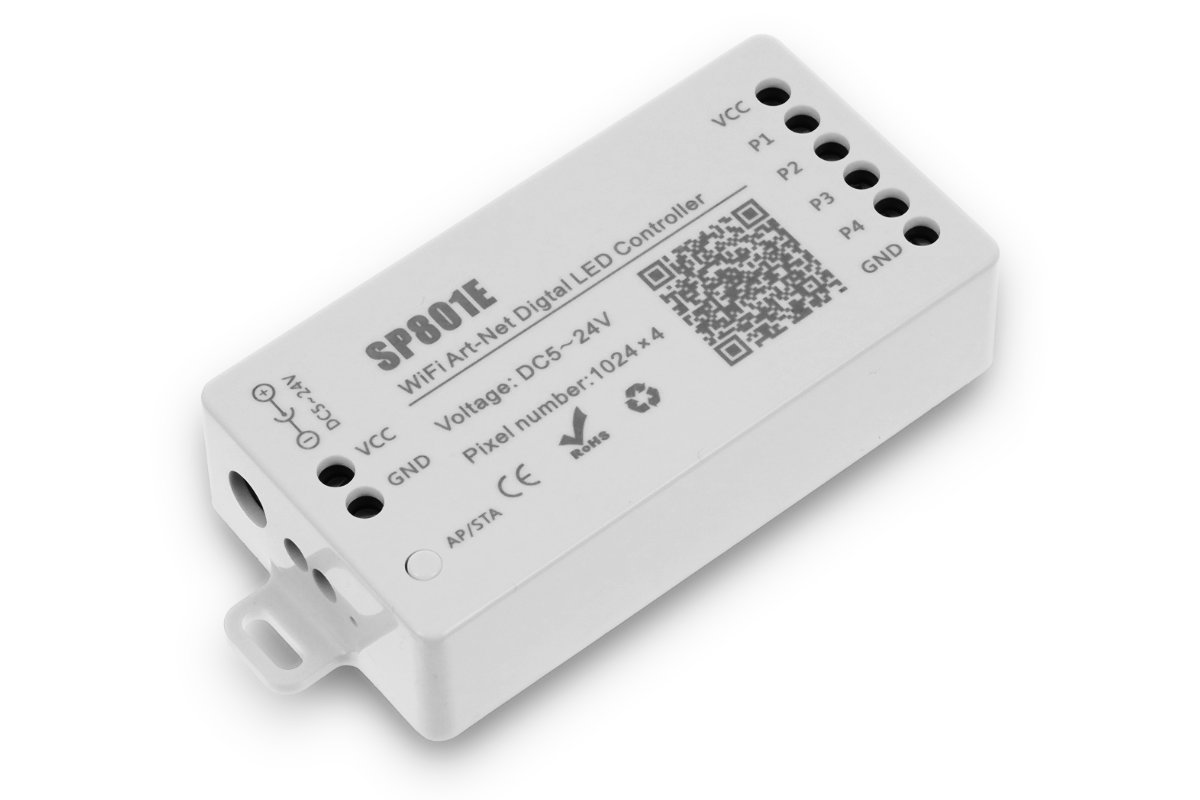
The SP801E is a standalone pixel controller that can be controlled via its own "BanlanX" app as well as via WiFi using ArtNet (e.g. via JINX!). It provides 4 outputs of up to 1,024 pixels each, for a total of up to 4,096 pixels. Many common pixel types are supported:WS2811 / 12 / 13 / 15 TM1812 SK6812 (not RGBW!) UCS1903 GS8206 The matching app "BanlanX" is available for free for IOS and Android and offers more than 100 different chaser effects as well as precisely adjustable individual colors. Speed and brightness can be changed at any time. Setting up the controller is intuitive and can be done in minutes. The controller operates on 2.4 GHz WLAN and can be accessed directly from your smartphone or integrated into your home WLAN.
Screenshots of the App:
The scope of delivery includes:
1 x Pixel LED driver SP801E
1 x 3-pin connection cable for LED strips
1 x mini screwdriver
Supported LED types:WS2811 / 12 / 13 / 15 TM1812 SK6812 (not RGBW!) UCS1903 GS8206
FAQ:
Does the driver require an existing WLAN?
No, the driver can also be controlled directly with the smartphone (AP mode) and offers its own WLAN access point ("SP108E_xxx") for this purpose. If a WLAN is available, the driver can alternatively be integrated into it (STA mode), so that the WLAN does not always have to be changed to operate the driver.
Can multiple drivers be used simultaneously in the app?
Yes, the app can manage multiple drivers at the same time. You can switch between the drivers and change the settings for each. In addition, the individual drivers can be switched on and off directly. However, there is no direct synchronization and each driver must be set accordingly for itself.
Does the app have to be active for the animations to run?
No. The app is only needed for the setup. You can close the app afterwards and also turn off the smartphone, for example. The SP108 will continue to play effects.
Does the driver keep its settings when it no longer receives power?
Yes, the driver can simply be disconnected from the mains. When power is applied again, it will start with the previously set animation. All settings will be kept.
How can the white LEDs be used, e.g. with a SK6812_RGBW?
It's not possible to operate the white LEDs of an RGBW Pixel strip like SK6812. Use the alternative SP108E to control also the white LEDs in RGBW setups.
Can the SP801 also control LED matrices?
The SP801E offers a very flexible matrix setup.
Technical data:
Input: 5-24V DC, GND
Output: VCC, GND, Data, Clock
current consumption: 25-130mA
up to 4.096 pixels depending on IC type
ambient temperature: -20°C - +60°C
dimensions: 80x41x20mm
Weight: 40g
With this driver LED strips/matrixes with up to 600 pixels can be controlled via an output. The animations in TPM2 format are created by software (e.g. J!NX) and can either be output directly via a PC via USB or stored and retrieved on an SD card. The keys can be used to switch between the animations stored on the SD card. The sequence of the animations can also be specified in a configuration file. In this file it is also possible to define the number and color sequence of the pixels, autoplay behavior and brightness. Furthermore, up to 63 animations can be started from the SD card via GPIO pins (e.g. actuated via buttons, microdrivers, etc.).
Scope of delivery:
1x LED Pixel-driver ready installed in acyl housing
Technical data:
Item no.
LK128
Controllable pixels
1 x 600
Controllable ICs
WS281X / PL9813 / APA106 / SK6812 (RGBW)
Voltage input
5 VDC via mini-USB
Output
1 x 600 pixels
Dimensions
L55×W22×H mm
With this controller LED strips/matrixes with up to 2048 pixels can be controlled. It offers 4 outputs for 512 pixels each. The animations in TPM2 format are created by software (e.g. J!NX) and can either be output directly via a PC via USB or stored and retrieved on an SD card (max. 32GB, 356 files). The keys can be used to switch between the animations stored on the SD card. The sequence of the animations can also be specified in a configuration file. In this file it is also possible to define the number and color order of the pixels, autoplay behavior and brightness. Furthermore, up to 31 animations can be started from the SD card via GPIO pins (e.g. actuated via buttons, microcontrollers, etc.).
Scope of delivery:
1x LED Pixel-driver ready installed in acyl housing
Technical data:
Item no.
LK134
Controllable pixels
2.048
Controllable ICs
WS281X / PL9813 / APA106 / SK6812 (RGBW)
Voltage input
5 VDC via mini-USB
Output
4 x 512 pixels
Dimensions
L71×W30×H17 mm
With this controller LED strips/matrixes with up to 4096 pixels can be controlled. It offers 4 outputs for 1024 pixels each. The animations in TPM2 format are created by software (e.g. J!NX) and can either be output directly via a PC via USB or stored and retrieved on an SD card (max. 32GB, 356 files). The keys can be used to switch between the animations stored on the SD card. The sequence of the animations can also be specified in a configuration file. In this file it is also possible to define the number and color order of the pixels, autoplay behavior and brightness. Furthermore, up to 31 animations can be started from the SD card via GPIO pins (e.g. actuated via buttons, microcontrollers, etc.).
Scope of delivery:
1x LED Pixel-driver ready installed in acyl housing
Technical data:
Item no.
LK135
Controllable pixels
4.096
Controllable ICs
WS281X / PL9813 / APA106 / SK6812 (RGBW)
Voltage input
5 VDC via mini-USB
Output
4 x 1.024 pixels
Dimensions
L71×W30×H17 mm
With this driver LED strips/matrixes with up to 600 pixels can be controlled via an output. The animations in TPM2 format are created by software (e.g. J!NX) and can either be output directly via a PC via USB or stored and retrieved on an SD card. The keys can be used to switch between the animations stored on the SD card. The sequence of the animations can also be specified in a configuration file. In this file it is also possible to define the number and color sequence of the pixels, autoplay behavior and brightness. Furthermore, up to 63 animations can be started from the SD card via GPIO pins (e.g. actuated via buttons, microdrivers, etc.).
Scope of delivery:
1x LED Pixel-driver ready installed in acyl housing
Technical data:
Item no.
LK130
Controllable pixels
max. 4096
Controllable ICs
WS281X / PL9813 / SK6812 (RGBW) / APA102
Voltage input
5 VDC via mini-USB
Output
8 x up to 1024 pixels (max. 4096 pixels total)
Dimensions
L65×W85×H22 mm
ArtNet to DMX decoder for a total of 8 DMX universes (max. 4096 DMX channels) in 19" rack housing (1U).
Robust construction. PushDial and OLED display for setting IP addressing, port assignment and for test functions.Perfect synchronization between the individual universes, e.g. for pixel mapping and voxel mapping. The Artnet controller is ready for use within seconds after commissioning. One HTP merge is automatically available for two Art-Net sources. If required, you can access and change specific device settings via the integrated web configuration tool.
Technical data:
Item no.
LK131
Input ports
1 x Ethernet IN (RJ45)
Output ports
8 x DMX OUT (XLR 5pin), 1 x Ethernet THRU
Voltage input
230VAC (AC cable included)
Dimensions
19" rack housing (1U)
Weight
1.5kg
ArtNet to DMX decoder for a total of 16 DMX universes (max. 8192 DMX channels) in 19" rack housing (1U).
Robust construction. PushDial and OLED display for setting IP addressing, port assignment and for test functions.Perfect synchronization between the individual universes, e.g. for pixel mapping and voxel mapping. The Artnet controller is ready for use within seconds after commissioning. One HTP merge is automatically available for two Art-Net sources. If required, you can access and change specific device settings via the integrated web configuration tool.
Technical data:
Item no.
LK132
Input ports
1 x Ethernet IN (RJ45)
Output ports
16 x DMX OUT (RJ45), 1 x Ethernet THRU
Voltage input
230VAC (AC cable included)
Dimensions
19" rack housing (1U)
Weight
1.5kg
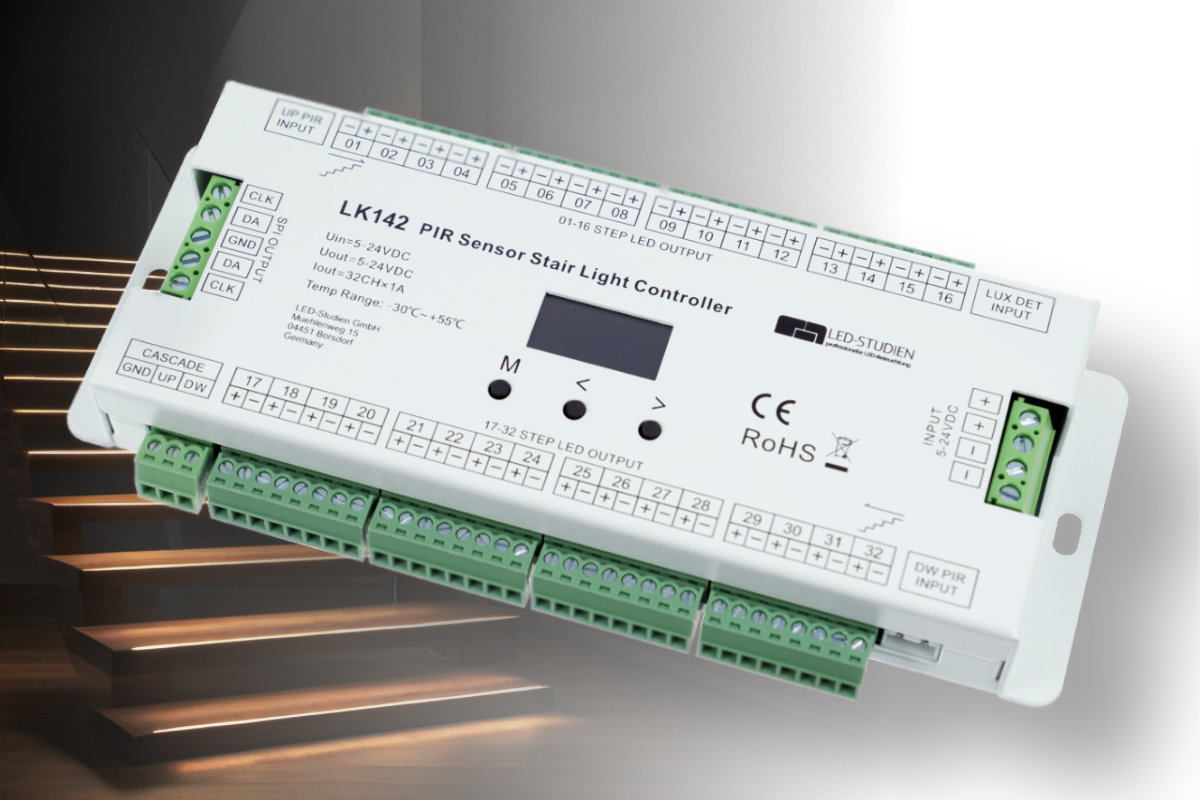
The LK142 Staircase Effect Controller allows the control of staircase lighting from 8 - 32 steps. It offers a total of 32 outputs, e.g. for LED strips or profiles in the range of 5-24VDC, 1A. For example, our standard LED strips as well as the new free-cut COB LED strips can be controlled flexibly. Controlled by pushbuttons or motion detectors above and below the stairs, the steps can be illuminated step by step with great effect. Depending on the activation, the effect runs from bottom to top or from top to bottom. In addition, digital pixel LEDs can be integrated for a running light, e.g. in the handrail. Various effect modes and speed settings allow for flexible adjustment of the staircase effect.Benefits at a glance: Selective control of 8-32 steps with 5-24VDC, 1A Additional chaser effect, e.g. in the handrail, via pixel LED strips (12 color modes) 4 effect modes, 8 speeds Triggered by PIR motion sensors or push-buttons above and below the stairs Daylight sensor for twilight switching 2 controllers can be cascaded for large staircases with up to 64 steps
Wiring diagram:
Scope of delivery:Staircase effect controller 2 x PIR sensor 2 x extension cable (5m) for PIR sensor 1 x twilight sensor
Technical data:
Item-Nr.
LK142
Output ports
32 x 5-24VDC, 1A step illumination2 x SPI pixel for running light
Adressable pixel
Up to 960 pixel
Adressable pixel types
WS2801, 2803, 2811, 2812, 2813, 2815TM1804, 1809, 1812, 1829, 1914AUCS1903, 1909, 1912, 2903, 2909, 2912UCS5909, 6912LPD6803, 1101, 8803, 8806GS8206, 8208GW6205P9813SK9822
Powersupply
5 - 24VDC (via ext. powersupply)
Input ports2 x 5-24VDC voltage input2 x PIR motionsensor
2 x pushbutton (+ cascade option)1 x daylight sensor
IP protection
IP20
Dimensions
L186×W86×H26(mm)
Weight
520g
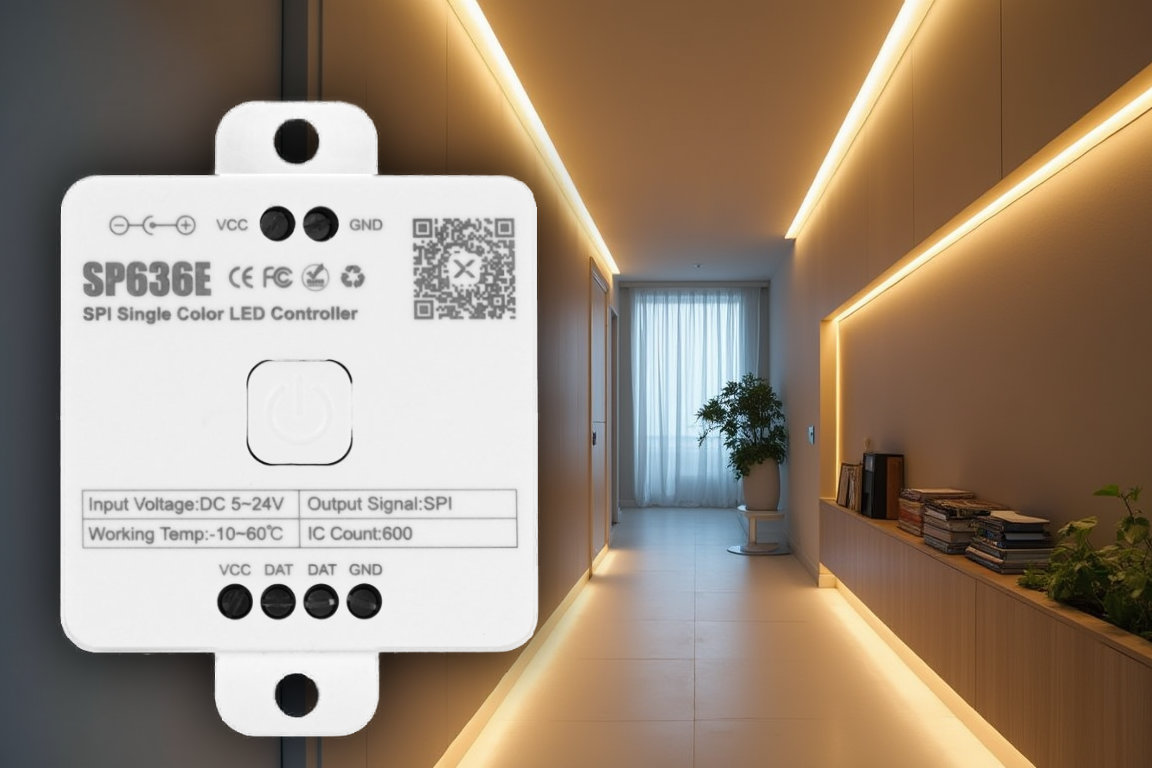
The SP636E is a standalone pixel controller specially designed for white LED strips. Its special feature is the various power-on effects, i.e. when the light is switched on, e.g. via a normal light switch, short animations/running lights are played before the light shines at full brightness (waterflow or running water effect). The effects and brightness levels are configured using a dedicated app. 4 different switch-on effects are available. There are also 10 other digital effects that can be played permanently. The controller offers 1 output for up to 1,800 pixels and operates in the 5-24VDC range. Various pixel types are supported for pure white pixels: WS2811 / 12 / 13 / 15 SK6812 SM16703 FW1934A The matching app “BanlanX” is available free of charge for IOS and Android.
Setting up the controller is intuitive and can be done in just a few minutes. The controller is controlled via Bluetooth. A small remote control for the most important functions is available as an option.
Screenshots of the App:
The scope of delivery includes:
1 x Pixel LED driver SP636E
App BanLax for iOS & Android
Supported LED types:WS2811 / 12 / 13 / 15 SK6812 SM16703FW1934A
FAQ:
Does the driver require an existing WLAN?
No, the controller is addressed directly via Bluetooth.Can the controller also control colored RGB LEDs? No, the SP636E can only be used for pure white pixel LED strips. Can the controller also be used with normal white LED strips (no pixel)? No, pixel LED strips (e.g. WS2811) are required. Normal LED strips will not light up on the controller and of course will not show any animations.
Can multiple drivers be used simultaneously in the app?
Yes, the app can manage multiple drivers at the same time. You can switch between the drivers and change the settings for each. In addition, the individual drivers can be switched on and off directly. However, there is no direct synchronization and each driver must be set accordingly for itself.
Does the app have to be active for the animations to run?
No. The app is only needed for the setup. You can close the app afterwards and also turn off the smartphone, for example. The SP636E will continue to play effects.
Does the driver keep its settings when it no longer receives power?
Yes, the driver can simply be disconnected from the mains. When power is applied again, it will start with the previously set animation. All settings will be kept.Can the SP636E also control LED matrices?
No. The SP636E does not currently offer any functions for LED matrices. It is only intended for LED pixel strips and corresponding chases.
Technical data:
Input: 5-24V DC, GND
Output: VCC, Data, GND
current consumption: 1-10mA
up to 1800 pixels depending on IC type
ambient temperature: -20°C - +60°C
dimensions: 78x56x20mm
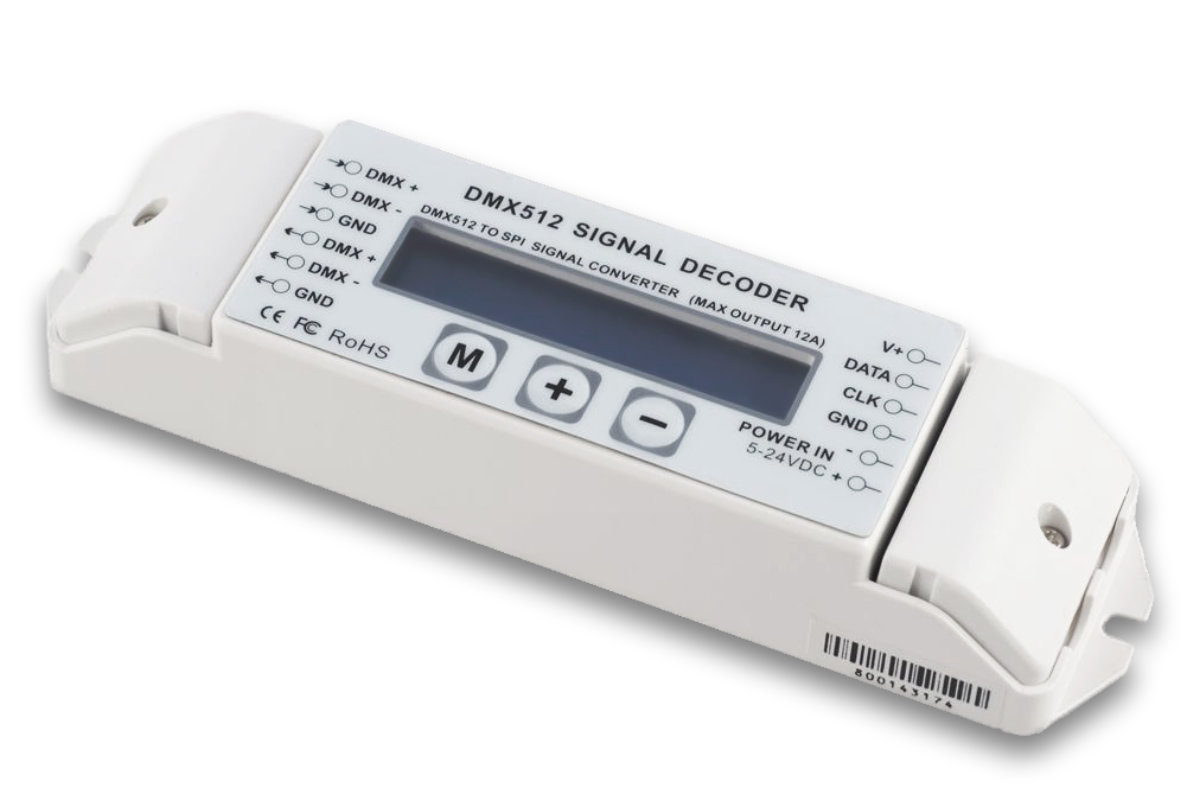
With this DMX converter, various digital LED strips can be conveniently controlled via DMX512. It offers an extremely wide voltage range of 5-24V as well as 510 channels, whereby for example 170 RGB pixels can be controlled.
Each converter also has a DMX output. The decoder can be set very easily via a large multifunction display and 3 buttons. Essential parameters are:
digital setting DMX start address
different test modes
pixel count configurable
color sequence configurableThe following LED drivers can be controlled:WS2801, 2803, 2811, 2812, 2813, 2815 TM1803, 1804, 1809, 1812, 1814 UCS1903, 1904, 1909, 1912, 2903, 2904 RGBW, 2909, 1912, 6909, 6912 LPD6803, 1101, 8803, 8806 TLS3001, 3002 P9813, 9412 RGBW SK6812 RGBW
Scope of delivery:
1x DMX Digital Converter BC
Technical data:
Voltage: 5-24V DCConnection: Input (V+; Ground; DMX Input) Output (DMX Output; V+; Data; CLK, Ground)IP class: IP 20Dimensions: LxWxH 176x46x30mm
MADRIX 5 The leading software for controlling LED pixel strips and LED matrix installations MADRIX 5 is one of the most powerful and flexible software solutions for professional LED lighting control. It combines state-of-the-art rendering technology with intuitive workflows, enabling real-time control of complex LED installations—from simple 2D surfaces to volumetric 3D structures. MADRIX 5 is not just a lighting control system, but a specialized real-time media server for LED projects.
ATTENTION: A MADRIX KEY is also required to run the MADRIX software.
1. Core Technology & Performance64-bit rendering engine: This fully optimized engine efficiently utilizes modern PC hardware to render thousands of pixels smoothly at a high frame rate. 2D Pixel Mapping & 3D Voxel Mapping: Complete freedom in placing LEDs within a space. MADRIX treats 3D structures as true volumes (voxels), which goes far beyond conventional 2D projections. Audio-Reactive Visuals: Integrated, high-precision audio analysis (Sound2Light and Music2Light) converts audio signals into spectacular lighting effects in real time. 2. Key Features & FunctionsReal-time effects generator: MADRIX is not just a media player. The software generates effects (scenes, patterns, graphics) in real time, allowing you to adjust their color, speed, and shape at any time. Triggers: Allow effects to be triggered manually via DMX-In or MIDI, turning MADRIX into an interactive performance instrument. Media server functionality: Seamless playback of videos (including audio), images, and live streams. Supports screen capture and scrolling text (ticker). Dual-deck system: Inspired by DJ software, MADRIX features two decks (left/right) with a crossfader to control smooth transitions between different effects and layers. Extensive patching options: With the built-in fixture editor and matrix generator, even complex setups involving different LED types (RGB, RGBW, single-channel, etc.) can be configured quickly. 3. Connectivity & ProtocolsMADRIX 5 serves as a universal interface and supports all common industry standards: Ausgang: Art-Net, Streaming ACN (sACN), DMX512, Philips Color Kinetics (KiNET), DVI, EUROLITE T9, Colour PWM. Inputs/Remote Control: DMX-IN, MIDI, Art-Net Remote, HTTP (web browser control), CITP, SMPTE and MIDI timecode. MADRIX ApplicationsSoftware is always the tool of choice when light is intended not merely to “illuminate,” but to convey meaning or highlight architectural forms: Club & Event Design: Synchronization of light and beat using market-leading audio analysis. Ideal for LED ceilings, DJ booth mappings, and immersive dance floors. Architectural lighting: Thanks to its built-in scheduler (HTTP/Timecode), it is ideal for facade illuminations that need to run automatically and reliably for years. 3D LED sculptures: MADRIX specializes in volumetric mapping. When you suspend LED strings in space (3D matrix), the software calculates effects as actual objects in space (voxels). Exhibition and retail design: Quick implementation of dynamic branding, scrolling text, and video content on LED walls or discreet LED strips without time-consuming pre-programming. Stage shows: As a complement to the GrandMA or other consoles, MADRIX serves as a powerful effects pixel mapper that can be controlled remotely via Art-Net or sACN.
Minimum Technical RequirementsOperating system: Windows 10 / 11 (64-bit)Hardware: Dual-core CPU (2.0 GHz or faster), at least 4 GB of RAM (8–16 GB recommended), dedicated graphics card with OpenGL 2.1 support (NVIDIA recommended).Licensing: Activation is performed via the MADRIX KEY (USB dongle), which allows for flexible switching between different computers.
License Overview – Suitable for Projects of Any SizeThe software is hardware-specific to the MADRIX KEY and is available in various versions, which differ primarily in the number of DMX universes or DVI voxels they output:START - 2 DMX universes (341 RGB pixels): For very small installations and testing.ENTRY - 12 DMX universes (2,048 RGB pixels): For smaller installations, e.g., in bars.BASIC - 32 DMX universes (5,461 RGB pixels): The standard for medium-sized clubs, building facades, etc.PROFESSIONAL - 128 DMX universes (21,845 RGB pixels): For large LED installations.ULTIMATE - 512 DMX universes (87,381 RGB pixels): For very large projects.MAXIMUM - 2,048 DMX universes (349,525 RGB pixels): The largest possible license.